How to Check Pick-n-Pull Inventory Online From Your iPhone
The easiest way to check self-service salvage yard inventory from your phone — search by make, model, and year, browse nearby yards on a map, and get alerts when a car arrives.
Checking what’s on the lot at a self-service salvage yard used to mean a phone call or a wasted drive. Now you can do it from the couch. Here’s the fastest way to check junkyard inventory from your iPhone.
Quick answer
The easiest way to check self-service salvage yard inventory online is the Pick and Pull iPhone app. Search participating yards by make, model, and year, see which nearby yards have a match on a map, and set an alert to get notified the moment a matching car arrives — all before you leave the house.
Why checking online first matters
Self-service yard inventory is a moving target. Cars arrive, get picked clean, and get crushed — sometimes within days. If you show up without checking, you’re gambling with your time and gas money. Checking online first means:
- You only drive out when the car is actually there
- You target fresh arrivals before parts disappear
- You can compare multiple yards in seconds
How to check inventory in the app
- Open Pick and Pull and enter the make, model, and year you need.
- Review matches across participating yards, sorted so you can spot recent arrivals.
- Open the map to see which yards are within your search radius.
- Tap a vehicle for full details, then plan your trip.
- Set an alert if there’s no match yet — you’ll be notified when one arrives.
Browse yards near you
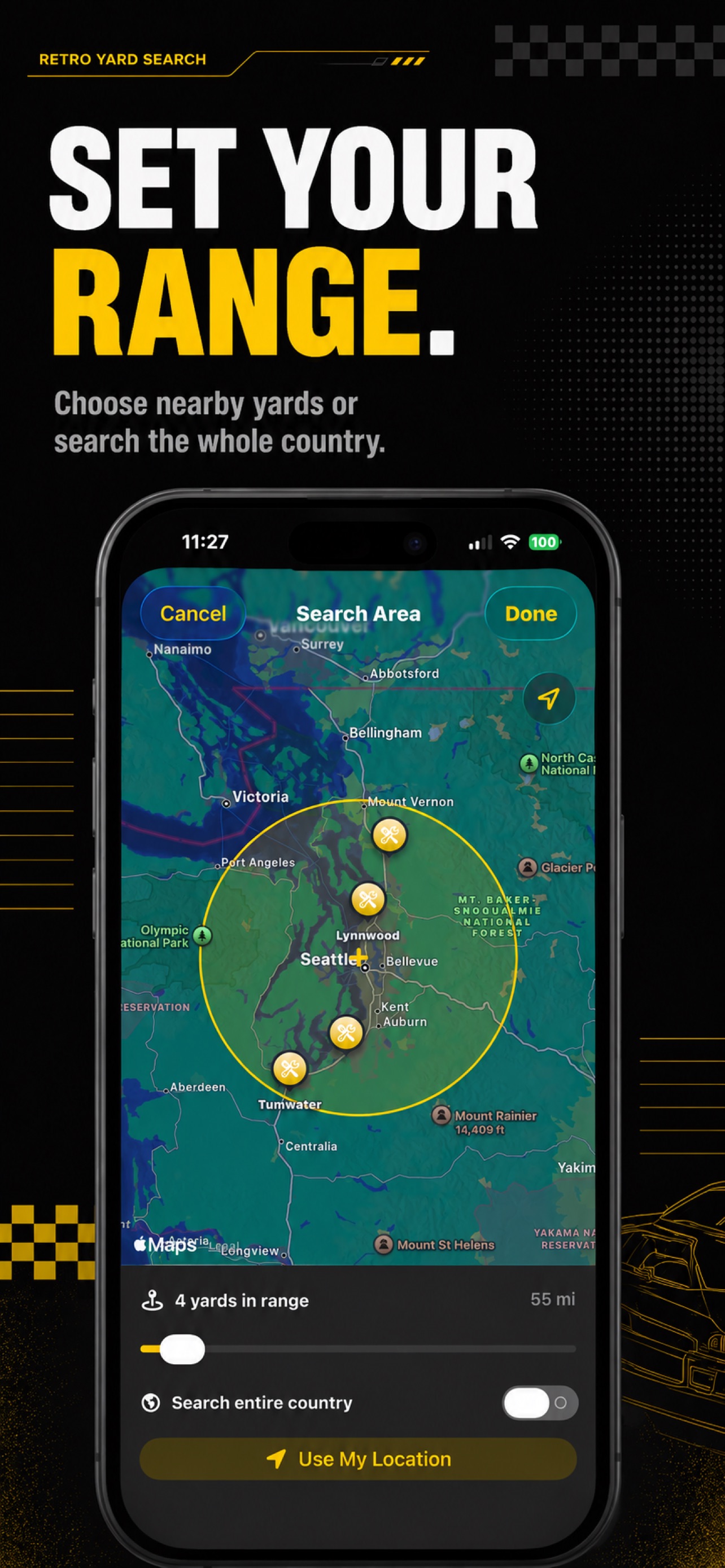
Pick and Pull plots participating yards on an interactive map. Set your location and drag the radius slider to see how many matching vehicles are within range, then jump straight from a yard to its full inventory. No more calling around.
Never miss a hard-to-find car
For rare or in-demand vehicles, alerts are the killer feature. Create an alert for the exact make, model, and year, scope it to the yards you actually visit, and let the app watch for you. When a match lands, you get a notification — so you’re first in line for the good parts.
Free to start
Pick and Pull is a free download with 5 searches per day and 1 saved alert. Premium unlocks unlimited searches and unlimited alerts (monthly or yearly, with a 7-day free trial), and you can restore purchases anytime from Settings.
Start checking inventory the smart way — get Pick and Pull on the App Store.
Pick and Pull is an independent app and is not affiliated with, endorsed by, or sponsored by Pick-n-Pull, Row52, or any salvage yard operator. All trademarks belong to their respective owners.
Frequently asked questions
How do I check self-service junkyard inventory online? +
The easiest way is the Pick and Pull iPhone app, which searches self-service salvage yard inventory by make, model, and year. It shows which nearby yards have a match, how recently each car arrived, and can notify you when a new matching vehicle is added.
Can I search salvage yard inventory by make and model? +
Yes. Pick and Pull lets you search participating self-service yards by make, model, and year, then filter results to exactly what you need. You can also browse yards on a map and set a search radius around your location.
Can I get notified when a specific car arrives at the yard? +
Yes. In Pick and Pull you can create an alert for a specific make, model, and year and scope it to the yards you visit. When a matching vehicle arrives, you get a local notification so you can grab the parts before anyone else.
Does Pick and Pull work on iPad? +
Yes. Pick and Pull runs on both iPhone and iPad. It's a free download on the App Store, with an optional Premium subscription for unlimited searches and alerts.
Related articles
Junkyard With Searchable Inventory in St. Louis (How to Find Your Car)
Looking for a St. Louis junkyard with searchable inventory? Here's how to find self-service salvage yards around St. Louis and search their vehicle inventory by make, model, and year before you go.
Read article
Are There Sites That Check Salvage Yard Inventory for Vehicles? (Yes — Here's How)
Looking for a site that checks salvage yard inventories for actual vehicles, not just listed parts? Here are your options and the fastest way to search self-service yards by make, model, and year.
Read article Auto Salvage Yard Recommendations in Atlanta (How to Find Your Car First)
Looking for auto salvage yard recommendations in Atlanta? Here's how to find self-service pick-n-pull yards around Atlanta and check which one has your car before you drive out.
Read article