Best App Blocker for People Who Want to Move More
Compare app blockers, focus apps, and step-based tools to find the best option for reducing screen time while moving more.
Best App Blocker for People Who Want to Move More
Most app blockers are built for focus. They block social media, games, or websites so you can work. That is useful, but it misses one big opportunity: replacing scrolling with movement.
If your goal is not just to use your phone less, but also to walk more, a step-based app blocker may be a better fit.
The main types of app blockers
There are three common types of app blockers:
1. Timer-based blockers
These apps block distractions during scheduled focus sessions. They are best for work, studying, and deep focus.
2. Friction-based blockers
These apps add a pause, breathing exercise, or confirmation step before you open distracting apps. They are best for people who want awareness without hard blocking.
3. Movement-based blockers
These apps block selected apps until you complete a movement goal, such as steps or walking time. They are best for people who want to reduce screen time and increase activity at the same time.
Why movement-based blocking is different
Most screen time apps ask: “How do we stop you from opening this app?”
LimitFit asks: “What should you do before opening this app?”
That small difference changes the product. Instead of just denying access, LimitFit gives you a clear action: walk, earn, unlock.
Best for reducing scrolling and walking more
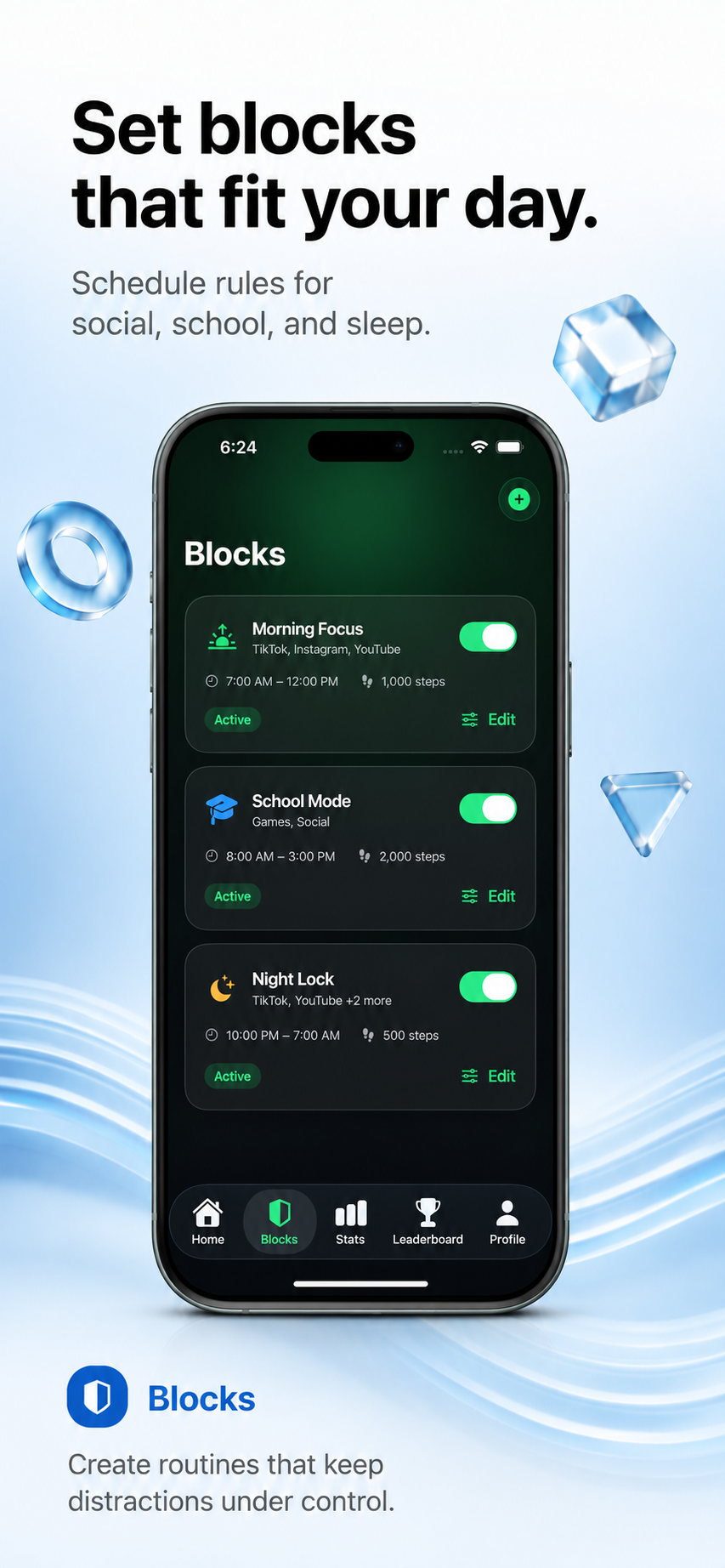
LimitFit is designed for users who want a simple reward loop:
- Select distracting apps
- Lock them behind a step goal
- Walk to unlock them
- Build streaks and stats
- Track screen time saved
This makes it especially useful for people who want a healthier relationship with apps like TikTok, Instagram, YouTube, Reddit, games, or Safari.
When a traditional focus app is better
A traditional focus app may be better if your main goal is pure productivity, deep work, or scheduled work sessions. If you want long blocks without exercise requirements, a dedicated focus blocker may fit better.
When LimitFit is better
LimitFit is better if your goal is behavioral replacement. It is for people who want to turn phone urges into physical movement.
Choose LimitFit if you want:
- Apps blocked until steps are completed
- Quick movement-based locks
- Fitness streaks
- Step goals
- Screen time saved stats
- Leaderboards and scores
Frequently asked questions
Is a step-based app blocker good for students?
Yes. Students can use step-based blocking before school, during study sessions, or at night. A short walk before unlocking entertainment apps can make phone use more intentional.
Is it only for fitness people?
No. LimitFit can start with small goals like 250 or 500 steps. The goal is consistency, not extreme workouts.
Can I still use important apps?
Yes. LimitFit should only block the apps you choose. You can leave phone, messages, maps, banking, and other important apps unblocked.
The bottom line
The best app blocker depends on what you want to change. If you want focus, use a focus blocker. If you want to move more and scroll less, use a movement-based app blocker like LimitFit.
Related articles
Best Opal Alternatives for Fitness-Based Screen Time Control
Looking for an Opal alternative? Compare focus blockers and movement-based app blockers for reducing screen time.
Read article How to Block Apps Until You Walk on iPhone
Learn how step-based app blocking works on iPhone and how LimitFit helps you earn screen time by walking.
Read article What Is a Quick Lock App Blocker?
Learn how Quick Lock works and why instant app blocking until a step goal is completed can help stop scrolling urges.
Read article