Pick and Pull: Find the Exact Car at the Junkyard Before You Drive Out
Meet Pick and Pull, the iPhone app that searches self-service salvage yard inventory by make, model, and year — so you know the car is there before you grab your tools.
If you’ve ever driven 40 minutes to a self-service junkyard only to find the car you needed isn’t there, Pick and Pull is built for you. It’s an iPhone app that searches salvage yard inventory before you leave the house — so every trip is worth it.
Quick answer
Pick and Pull is an iPhone and iPad app that searches self-service salvage yard inventory by make, model, and year, shows nearby yards on a map, and alerts you when a matching car arrives. It turns hours of driving and guessing into a few taps. Grab it on the Pick and Pull app page.
The problem with pulling your own parts
Self-service yards (“pick-n-pull” or “u-pull-it” yards) are the cheapest way to get used auto parts. But there’s a catch: inventory changes constantly, and you don’t know what’s on the lot until you pay the entry fee and walk the rows.
That means:
- Wasted trips when your car isn’t there
- Missed cars that got crushed before you arrived
- Hours spent walking the yard hoping for a match
Pick and Pull removes the guesswork by putting live-style inventory search in your pocket.
What Pick and Pull does
- Search by make, model, and year. Find the exact donor vehicle you need across participating yards.
- See fresh arrivals first. Every vehicle shows when it was added, so you can prioritize cars that just landed.
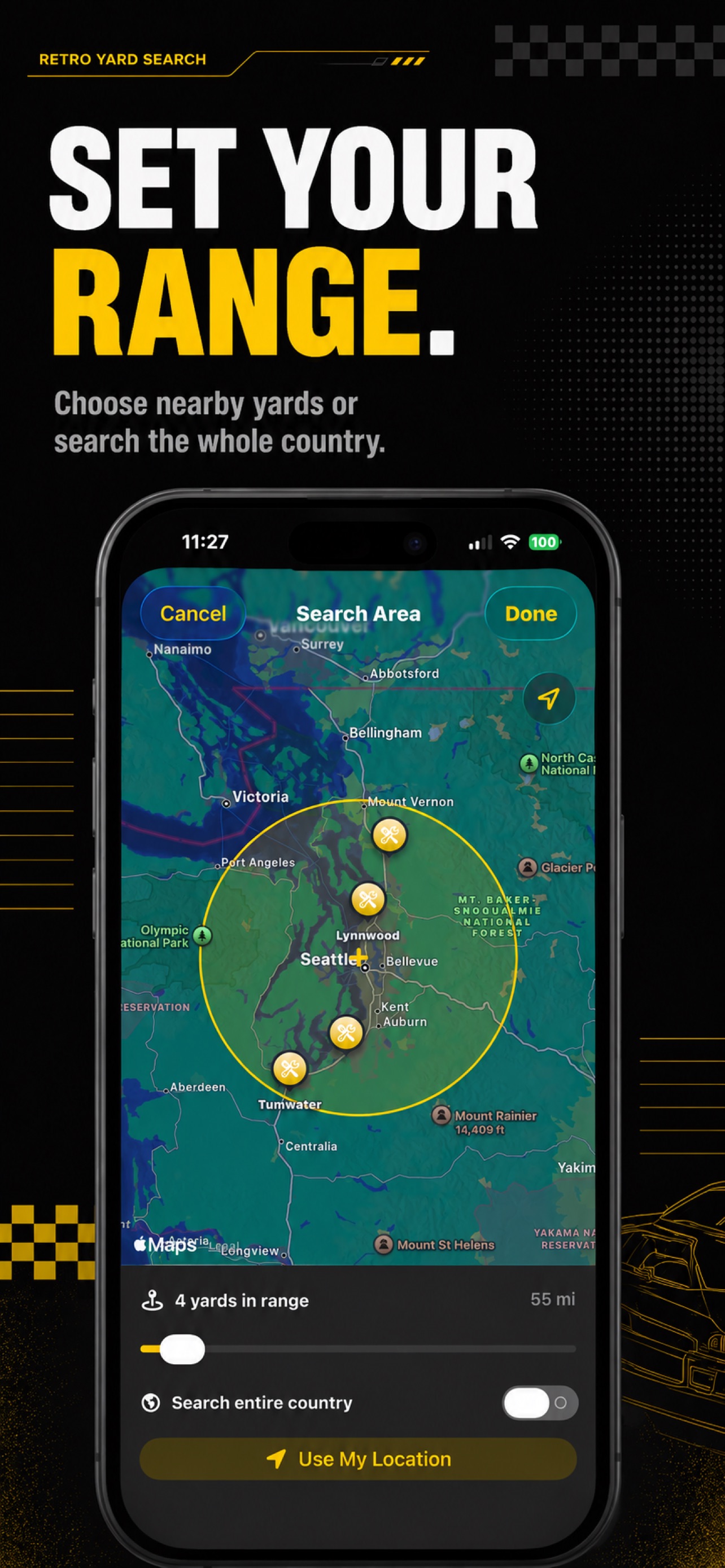
- Find yards near you. Browse participating yards on a map and set your search radius with a simple slider.
- Save your favorites. Bookmark the cars you’re tracking and keep a running list.
- Get arrival alerts. Create an alert for a specific make, model, and year, and get a notification the moment a match rolls in.
Who it’s for
- Weekend mechanics fixing their own car for less
- DIY restorers hunting for a specific donor vehicle
- Pro parts hunters who visit yards every week
- Anyone who wants to stop wasting trips to the junkyard
Free vs Premium
Pick and Pull is free to download. The free tier gives you 5 searches per day and 1 saved alert — plenty to test it out. Premium unlocks unlimited searches and unlimited alerts, with monthly and yearly options and a 7-day free trial. You can restore purchases anytime from Settings.
Get started
Pick and Pull is available now on the App Store. Head to the Pick and Pull page, tap Download on the App Store, and find the exact car before you drive out.
Pick and Pull is an independent app and is not affiliated with, endorsed by, or sponsored by Pick-n-Pull, Row52, or any salvage yard operator.
Frequently asked questions
What is Pick and Pull? +
Pick and Pull is an iPhone and iPad app that searches self-service salvage yard inventory by make, model, and year. It shows you which yards have the car you need, plots them on a map, lets you save favorites, and can alert you the moment a matching vehicle arrives — so you never waste a trip to the junkyard again.
Is Pick and Pull free? +
Yes. Pick and Pull is a free download on the App Store. The free version includes 5 searches per day and 1 saved alert. An optional Premium subscription unlocks unlimited searches and unlimited alerts, with monthly and yearly plans and a 7-day free trial.
Where can I get Pick and Pull? +
Pick and Pull is available on the App Store for iPhone and iPad. Visit the Pick and Pull app page and tap Download on the App Store.
Is Pick and Pull affiliated with Pick-n-Pull or Row52? +
No. Pick and Pull is an independent app and is not affiliated with, endorsed by, or sponsored by Pick-n-Pull, Row52, or any salvage yard operator. All trademarks belong to their respective owners.
Related articles
Auto Salvage Yard Recommendations in Atlanta (How to Find Your Car First)
Looking for auto salvage yard recommendations in Atlanta? Here's how to find self-service pick-n-pull yards around Atlanta and check which one has your car before you drive out.
Read article Best Sites to Find Used Car Parts On (And When to Skip Them for a Junkyard)
The best sites and apps to find used car parts on — from online marketplaces to salvage yard inventory search — and how to know which one is cheapest for your part.
Read article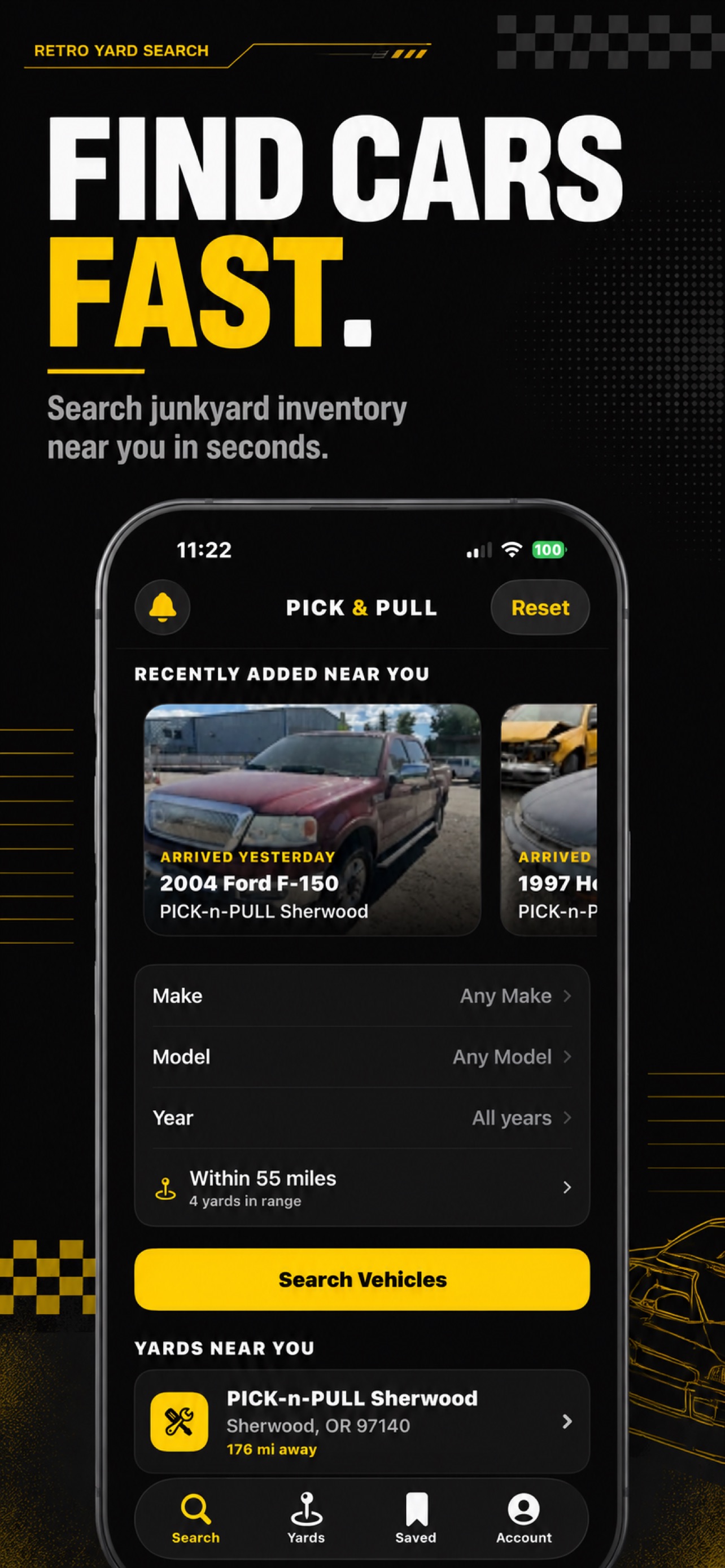
How to Find a Good Junkyard to Buy Parts From Near You
Looking for a good junkyard to buy car parts from? Here's how to find reputable self-service salvage yards near you and check what's on the lot before you drive out.
Read article